Your First Form in 3 Minutes
Create a form, refine it, and publish it. Five steps, no prior experience needed.
1. Describe your form
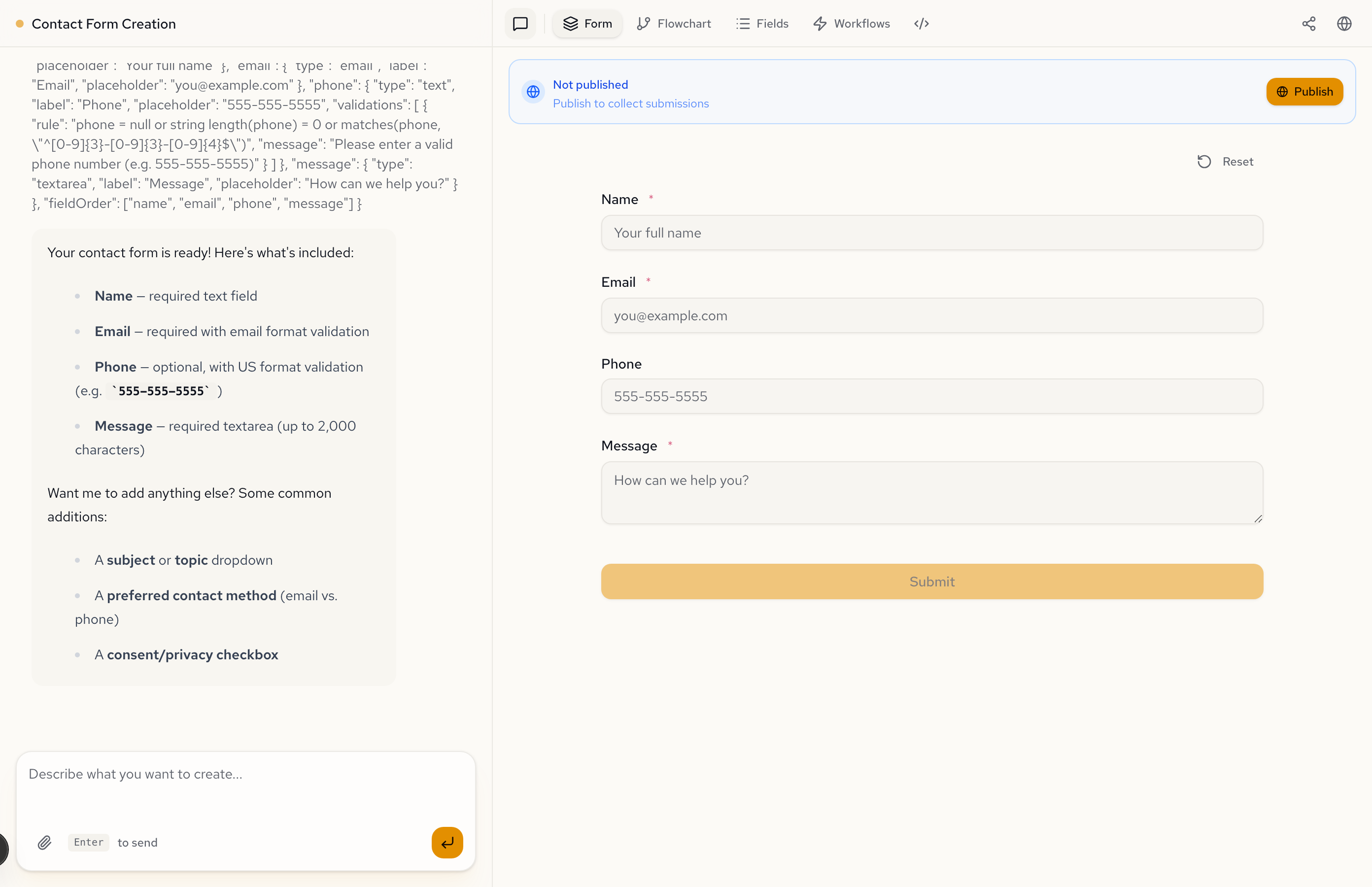
Open Formidable and type a one-sentence description of what you need in the chat input. Press Enter to send.
The AI generates a form and shows it in the preview panel on the right.
2. Preview the result
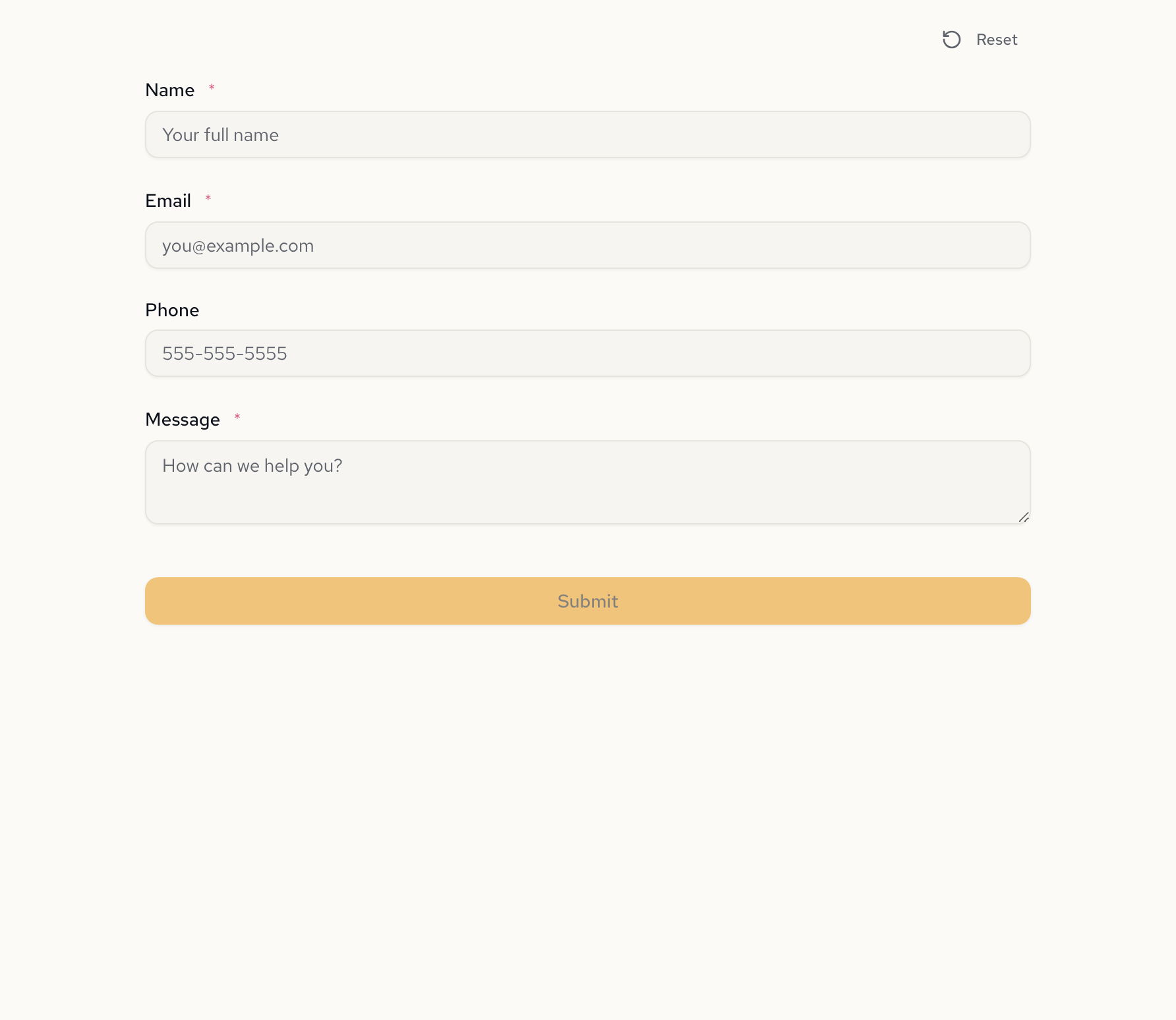
Click the Form tab to see the generated form up close. Fields, labels, placeholders, and validation rules are all set up based on your description.
3. Refine with a follow-up
Type another message to make changes. For example: "Add a subject dropdown with options: General Inquiry, Support, Sales, and Partnership."
The AI updates the form after each message. You can add fields, remove them, reorder, change validation, or restructure into multiple pages. Keep iterating until the form matches what you need.
You can make unlimited changes. Each follow-up message refines the same form — no need to start over.
4. Publish
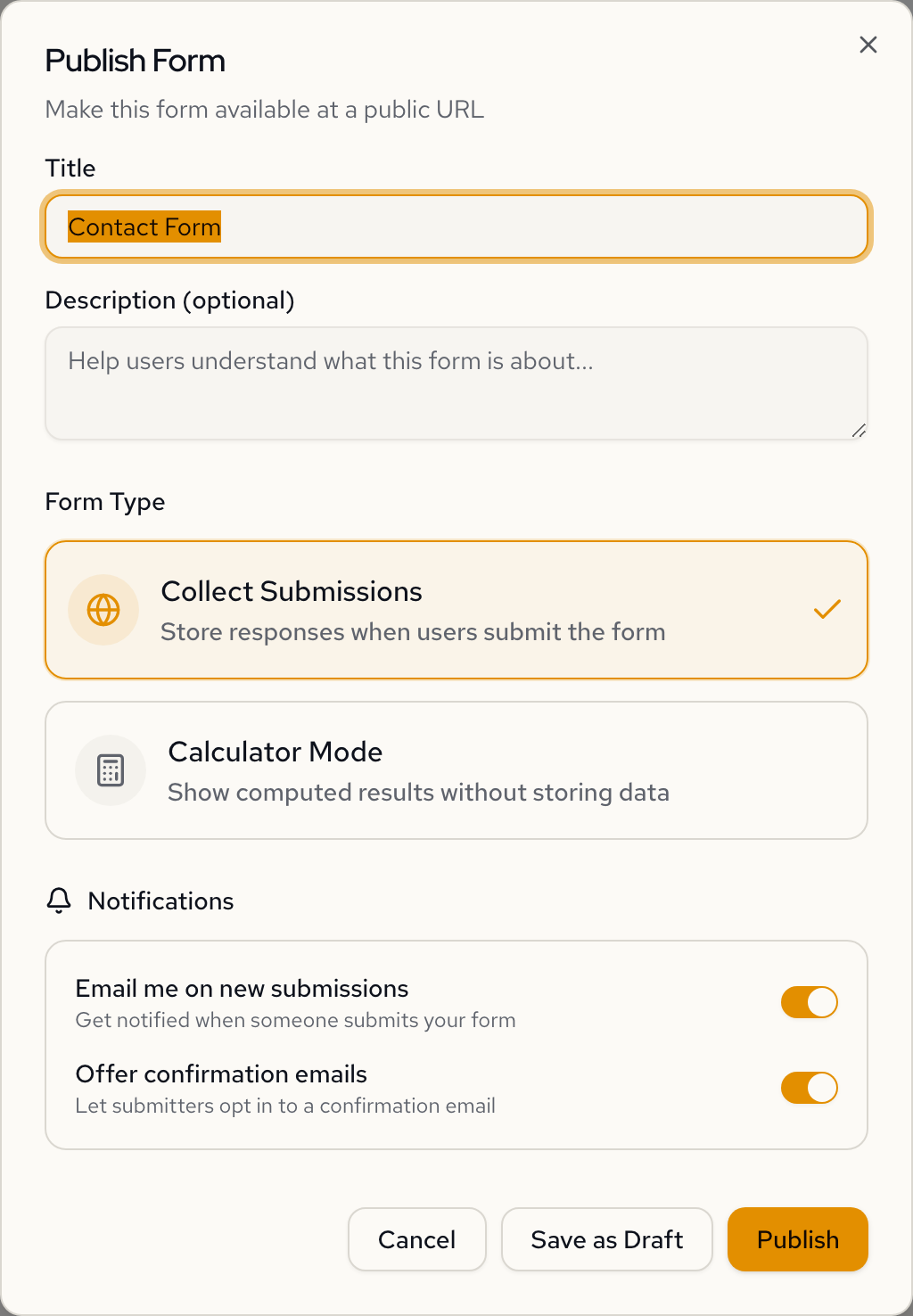
Click the Publish button in the sidebar toolbar. Give your form a title, choose whether to collect submissions or run in calculator mode, and click Publish.
You get a public URL you can share with anyone.
For more on publishing options, see Publishing Forms.
5. See a submission
Open the published URL in your browser, fill out the form, and submit it. Go back to Formidable and open your form's Submissions tab to see the response.
For more on managing responses, see Managing Submissions.
Next steps
- Creating Forms: effective prompts, multi-page wizards, and form types
- Publishing Forms: embedding, unpublishing, and sharing options
- Managing Submissions: viewing and exporting responses